- Definition X Ads operations
- X Ads operations include the workflows for creating, reusing, launching, updating, and QAing campaigns, line items, promoted posts, cards, media assets, targeting criteria, bids, and tracking in X Ads.
X Ads can feel simple until you try to operate it at scale.
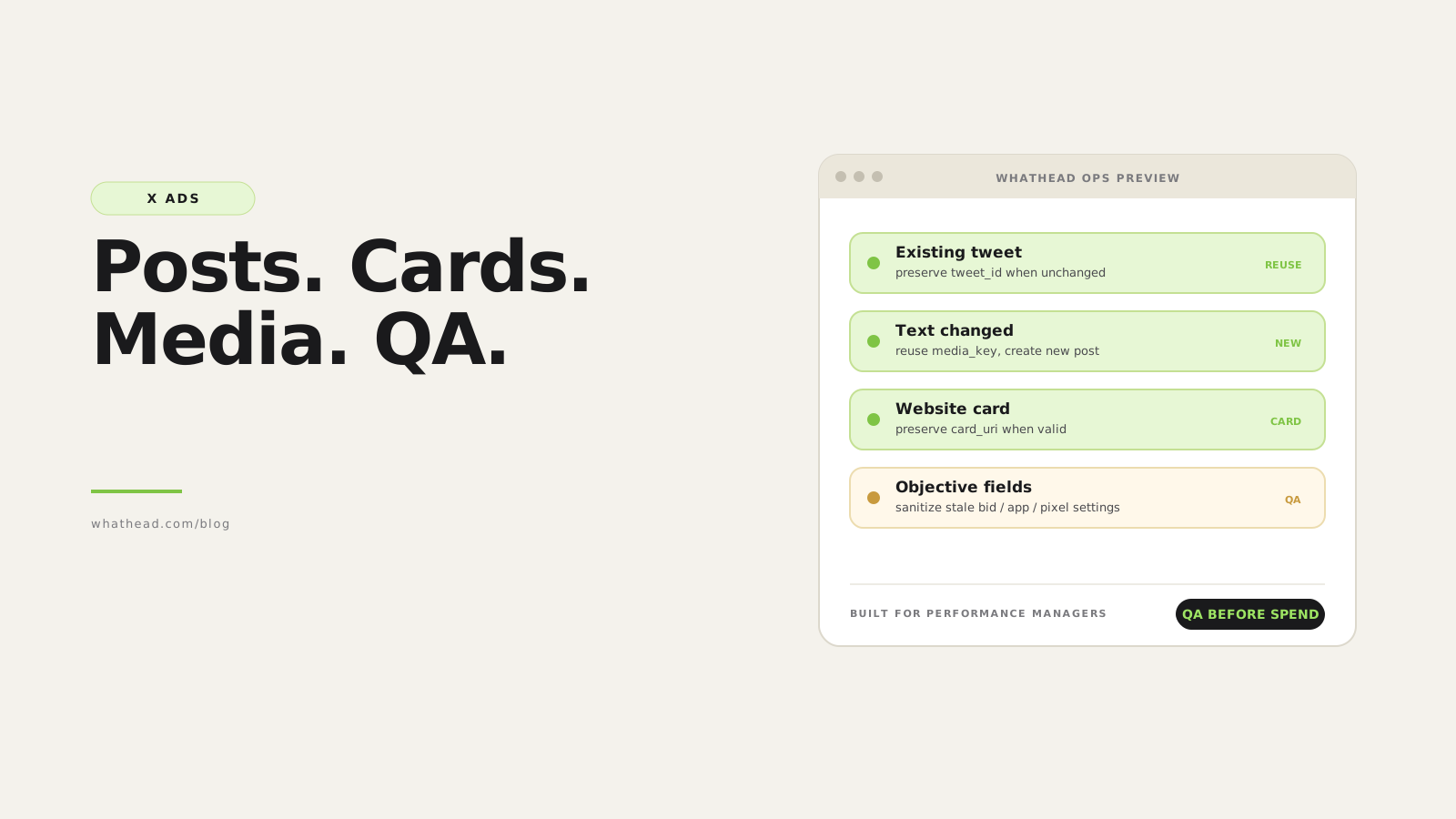
A campaign contains line items. The line item has objective, optimization, bid, targeting, and delivery rules. The ad may depend on an existing tweet, a promoted-only post, a media asset, or a card. Copying the wrong thing can either lose reusable IDs or carry fields that X will reject.
Whathead treats X as its own operational system. It preserves what should be reused, creates new posts when text or media changes, supports bulk post creation from library or uploaded media, and keeps line item payloads clean for the selected objective.
When to reuse vs create a new X post
Reuse existing post
Best when unchanged- Text is the same
- Media/card should stay attached
- Social proof and IDs should be preserved
Create new post
Best when creative changes- Primary text changes
- New media is selected or uploaded
- Destination/card setup changes
What this looks like in the workspace
- Bulk post creation
Create multiple promoted-only posts from library or uploaded assets without rebuilding each one manually.
- ID preservation
Keep tweet_id, card_uri, and media IDs when reuse is the correct path.
- Line item cleanup
Remove bid, app, pixel, advertiser user, or optimization fields that X rejects for the selected objective.
From messy request to controlled publish
- 01FetchBring campaigns, line items, targeting, tweets, and media state in
- 02MapShow settings in X-specific modals
- 03DecideReuse post or create a new one
- 04CleanSanitize objective-specific payload fields
- 05PublishCreate/update X entities with logs
Whathead protects in X workflows
- tweet_id and card_uri removed during duplicate even though the post should be reused
- Old bid amount sent with AUTO bid strategy
- advertiser_user_id sent where X does not allow it
- Reach line item copied into traffic with old optimization or tracking fields
In X Ads, the post is not just creative copy. It can be the reusable object the whole ad depends on.
For X Ads work, keep the operational flow in Whathead: build posts, reuse media, check mappings, and bulk QA changes before you publish.
Why X Ads setup gets confusing
X campaign setup crosses multiple object types: campaigns, line items, targeting criteria, promoted tweets, tweets, media library assets, and cards.
The confusion usually starts when a copied ad keeps IDs from the old context or loses IDs it should preserve.
- Existing tweet IDs removed during duplicate
- Card URI lost even though media did not change
- Line item keeps bid amount after switching to automatic bid strategy
- Advertiser user ID sent on product types where X rejects it
- Reach line item keeps a traffic optimization goal
- Bulk post upload sends video files through a serverless request instead of direct storage
| Platform | Creative | Line item | Decision | Status |
|---|---|---|---|---|
 X X | Existing tweet | Reach | Reuse tweet_id | Ready |
| X | Video media | Traffic | Create new post | Ready |
| X | Card media | Website | Preserve card_uri | Review |
| X | No changes | Line item | Skip | Ready |
The operator should see whether X will reuse a tweet, reuse media, create a card, update a line item, or skip.
The X objects to track
- CampaignBudget optimization, funding instrument, status, schedule, and objective context.
- Line itemObjective-specific delivery, budget, bid, optimization, placements, and targeting.
- Targeting criteriaLocation, language, age, interests, keywords, audiences, placements, and expansion.
- Media libraryReusable image or video media keys attached to posts or cards.
- Post or cardThe creative object that becomes the promoted post or website/app card.
A safer X Ads workflow
The safest workflow separates media upload, post creation, line item configuration, and targeting mapping. Each step has a different failure mode.
- Fetch campaigns and line items with objective context
- Map targeting criteria into editable UI fields
- Stage large video uploads through direct storage, not serverless payloads
- Create promoted-only posts in bulk when needed
- Preserve tweet_id/card_uri when ad content is unchanged
- Validate line item fields against objective before publish
What to reuse and what to recreate
| Use when | Preserve | Create new | |
|---|---|---|---|
| Text unchanged | Same promoted post can run again | tweet_id | Nothing |
| Text changed | Media can be reused but post content changed | media_key | tweet_id |
| Website card unchanged | Card creative is identical | card_uri | Nothing |
| Destination changed | Card/button URL changed | media_key if valid | card_uri |
How to QA X Ads before publish
A practical QA workflow for X campaigns, line items, promoted posts, cards, media, and targeting.
⏱ About 17 minutes
- 01
Confirm objective context
Check campaign objective and line item optimization choices before editing fields.
- 02
Resolve creative mode
Decide whether to reuse an existing tweet, create a new post, create a card, or reuse media.
- 03
Validate targeting mapping
Confirm locations, language, age, interests, keywords, audiences, and placements are visible and editable.
- 04
Sanitize stale fields
Remove bid amounts, app settings, pixels, or advertiser user fields when they do not apply.
- 05
Preview and publish
Review create/update/duplicate/skip decisions before sending X API payloads.
Bulk X post creation
Bulk post creation should not send large video files through the final post upload API request. Files should upload directly to storage or the media library, while the post creation request carries lightweight media references.
- Use library media keys when already available
- Direct-upload local files before post creation
- Create separate posts for separate files unless card mode is selected
- Create a card when multiple media items should belong to one website/app unit
Objective-safe line item edits
X line item fields depend on objective and product type. A copied line item should be sanitized before validation and before publish.
- Do not send bid amount with automatic bid strategy
- Only send advertiser user ID where product type allows it
- Clear pixel/app fields when switching away from conversion/app objectives
- Show optimization options for the target campaign objective
X Ads operations checklist
Use this before publishing X campaign changes.
- Campaign objective is loaded and visible
- Line item optimization choices match objective
- Targeting criteria are mapped into the targeting modal
- Tweet IDs and card URIs are preserved when unchanged
- New posts are created when text/media changes
- Large local media files are direct-uploaded before post creation
- Invalid line item fields are removed from payload
Frequently asked questions
Can you bulk create X posts?
Yes. A safe workflow creates multiple promoted-only posts from media library assets or direct-uploaded files, then returns reusable tweet IDs.
Should duplicated X ads keep tweet IDs?
They should keep tweet IDs when the post content is unchanged. If text or media changes, create a new post and reuse media when possible.
What is the difference between media_key and tweet_id?
The media_key identifies uploaded media. The tweet_id identifies the created post. Changing text requires a new tweet_id even if the media_key stays the same.
Why do X line item payloads fail?
Often because stale fields from a copied entity are invalid for the target objective, bid strategy, product type, or destination.
Written by the Whathead team. We build the operational workspace for paid media teams across Meta, TikTok, Snapchat, Reddit, LinkedIn, Google, and X. Last reviewed May 16, 2026.