- Definition Bulk editing ads
- Bulk editing ads means applying changes to many campaigns, ad sets, or ads at once. A safe workflow validates whether each field is allowed for the selected platform, objective, entity type, and live state before writing changes.
The pressure to bulk edit usually appears when there is no time: a budget shift, a delayed launch, a creative correction, a tracking fix, or a client asking to pause a market immediately.
Doing that manually is slow. Doing it blindly is risky. The real product need is speed with context.
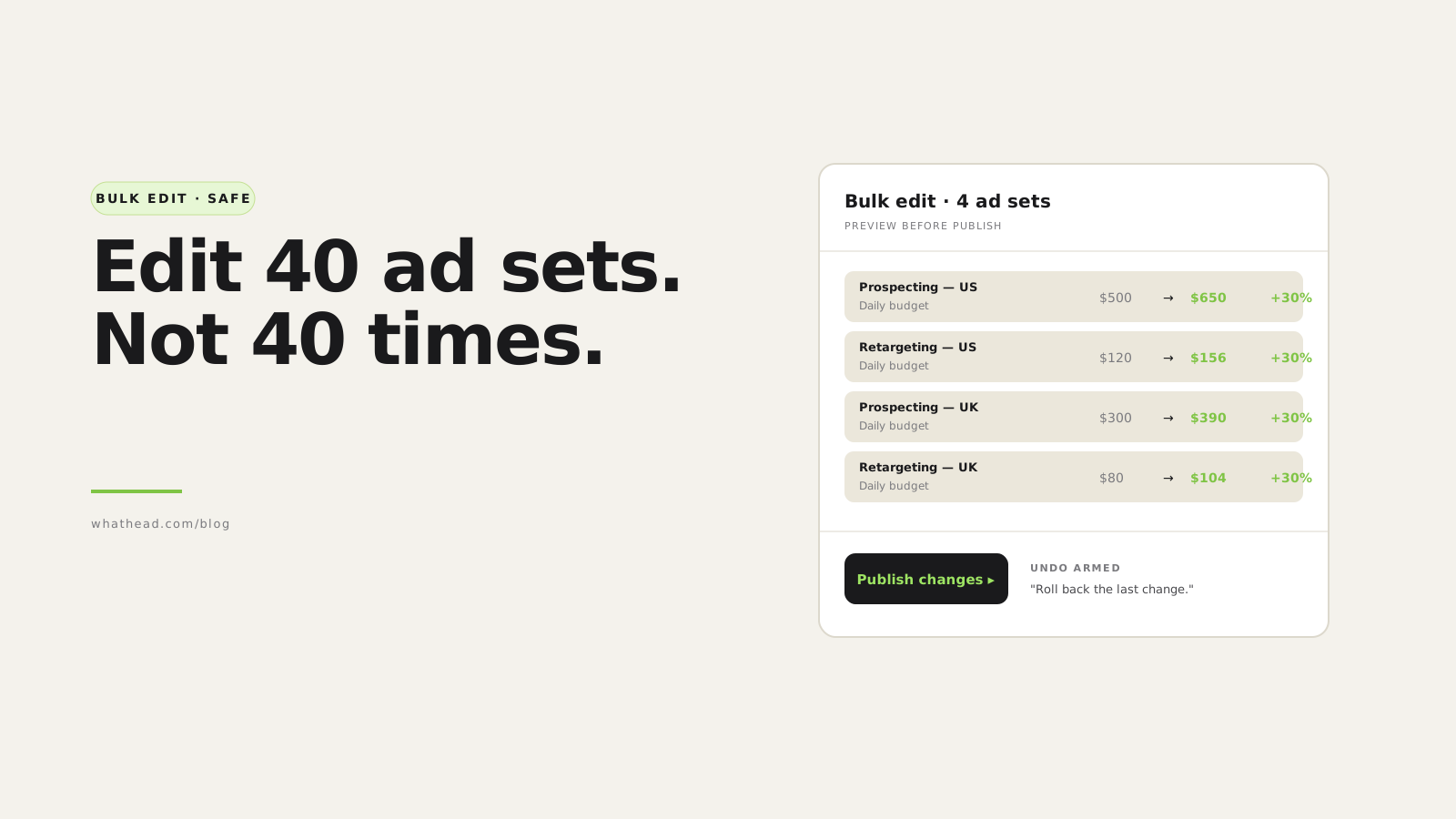
Whathead lets teams select campaign entities, apply a bulk edit, review exactly what changes, and keep platform-specific rules in the workflow so a reach ad set does not carry traffic settings or a copied X ad does not lose its tweet ID.
Fast bulk editing vs safe bulk editing
Fast but unsafe
Looks efficient- Applies one field everywhere
- Ignores objective dependencies
- May overwrite live IDs or stale settings
Whathead bulk edit
Fast with controls- Scopes edit by entity and platform
- Validates dependencies
- Shows what changes and what is skipped
What this looks like in the workspace
- Before/after visibility
See which fields will change before the update is published.
- Platform-aware validation
Only apply fields that belong to the selected platform, objective, and entity type.
- ID preservation
Keep live post, card, media, and entity IDs when reuse is the right action.
From messy request to controlled publish
- 01SelectChoose campaigns, ad sets, or ads
- 02PatchApply the bulk field changes
- 03ValidateRemove incompatible or stale fields
- 04ReviewInspect the diff and skipped items
- 05PublishUpdate only what should change
Bulk edit problems Whathead is designed to prevent
- Changing the wrong level of budget
- Keeping an old optimization goal after reconnecting to a new objective
- Removing reusable post IDs when creative text has not changed
- Applying app, pixel, or conversion fields to objectives where they do not belong
A good bulk editor does not just change many rows. It knows which rows should not receive the change.
If this checklist sounds like your weekly QA routine, open Whathead bulk edits and make budget, date, status, targeting, and copy changes with review built in.
Why bulk edits go wrong
Most bulk edit problems happen because the selected items look similar, but aren't actually the same.
The unsafe vs safe bulk edit
Unsafe bulk edit
- Select rows, change one field
- Apply to mixed objectives and platforms
- Don't separate live entities from drafts
- No preview, no diff
- Hope nothing breaks
Safe bulk edit
- Pick the scope (campaign / ad set / ad)
- Classify each item (draft / live / duplicate)
- Apply only fields valid for that platform/objective
- Preview every change side by side
- Publish, undo within 24h if needed
Start with the right scope
Pick the level before you change anything
- Campaign-level
Campaign status, campaign budget, naming, dates, objective-adjacent settings.
- Ad set-level
Budget, schedule, optimization, targeting, placements, bid strategy.
- Ad-level
Creative text, CTA, final URL, media, status, post reuse.
Separate drafts, updates, and duplicates
Bulk editing draft entities is usually safer than bulk editing live entities.
Classify before applying
- New draft
- Existing live entity
- Existing entity being updated
- Duplicate that should create a new entity
- Reconnected entity under a different campaign
- Existing creative or post being reused
Budget changes
Budget changes are common — and rarely as straightforward as they look.
- Is the budget at campaign level or ad set level?
- Is the campaign using campaign budget optimization?
- Is the value daily or lifetime?
- Is the new budget allowed by the platform minimum?
- Are you replacing budgets or applying a percentage?
| Entity | Current | New | Change |
|---|---|---|---|
| Prospecting — US | $500/day | $650/day | +30% |
| Retargeting — US | $120/day | $156/day | +30% |
| Prospecting — UK | $300/day | $390/day | +30% |
Old value, new value, percentage change. Spot mistakes before they ship.
Status changes
Bulk status edits are powerful — they affect delivery directly.
| Entity | Current | New |
|---|---|---|
| Campaign A | Active | Paused |
| Campaign B | Active | Paused |
| Campaign C | Draft | Active |
A list, not a yes/no dialog. If any row surprises the operator, they stop.
Targeting changes
Targeting is where bulk editing becomes platform-specific. A safe edit supports:
- Add targeting
- Remove targeting
- Replace targeting
- Exclude targeting
- Preserve existing targeting where untouched
Optimization and bidding changes
Optimization settings are often dependent on objective. Check before bulk-editing:
- What is the campaign objective?
- What product type is required?
- Is a pixel, app, event, or conversion goal required?
- Is bid strategy automatic, max, target cost, or cost cap?
Creative bulk edits
Creative bulk editing includes text, headline, CTA, final URL, and sometimes media.
- Are we editing the creative — or reusing an existing post?
- If the text changes, does the platform require a new post or creative object?
Bulk edit QA checklist
Tick every box
- Selected entities are the intended ones
- Entity level is correct (campaign / ad set / ad)
- Drafts and live entities are separated
- Existing platform IDs are preserved only when intended
- Budget level and budget type are correct
- Dates are valid and current
- Status changes are reviewed line by line
- Targeting patch is add/remove/replace, not accidental overwrite
- Optimization goals match the campaign objective
- Bid amount is compatible with bid strategy
- Pixel + conversion fields valid for the objective
- Creative IDs preserved or cleared intentionally
- Final URLs and UTMs are correct
- Changes are previewed before publish
Frequently asked questions
What is the safest way to bulk edit ads?
Select one entity level at a time, preview the changes, validate field dependencies, and separate live entities from drafts or duplicates.
Can I bulk edit budgets across campaigns?
Yes — but confirm whether budgets live at the campaign or ad set level, and whether you're replacing budgets or applying a relative increase.
Why do optimization goals break during bulk edits?
They often break when an ad set is copied or reconnected to a campaign with a different objective.
Should bulk edits apply to live campaigns automatically?
Not without review. Live entities affect delivery immediately, so changes should be previewed first.
How much does Whathead cost?
$20/month flat, all 8 ad platforms included. 14-day free trial, no credit card.
Written by the Whathead team. We build the operational workspace for paid media teams across Meta, TikTok, Snapchat, Reddit, LinkedIn, Google, and X. Last reviewed May 16, 2026.