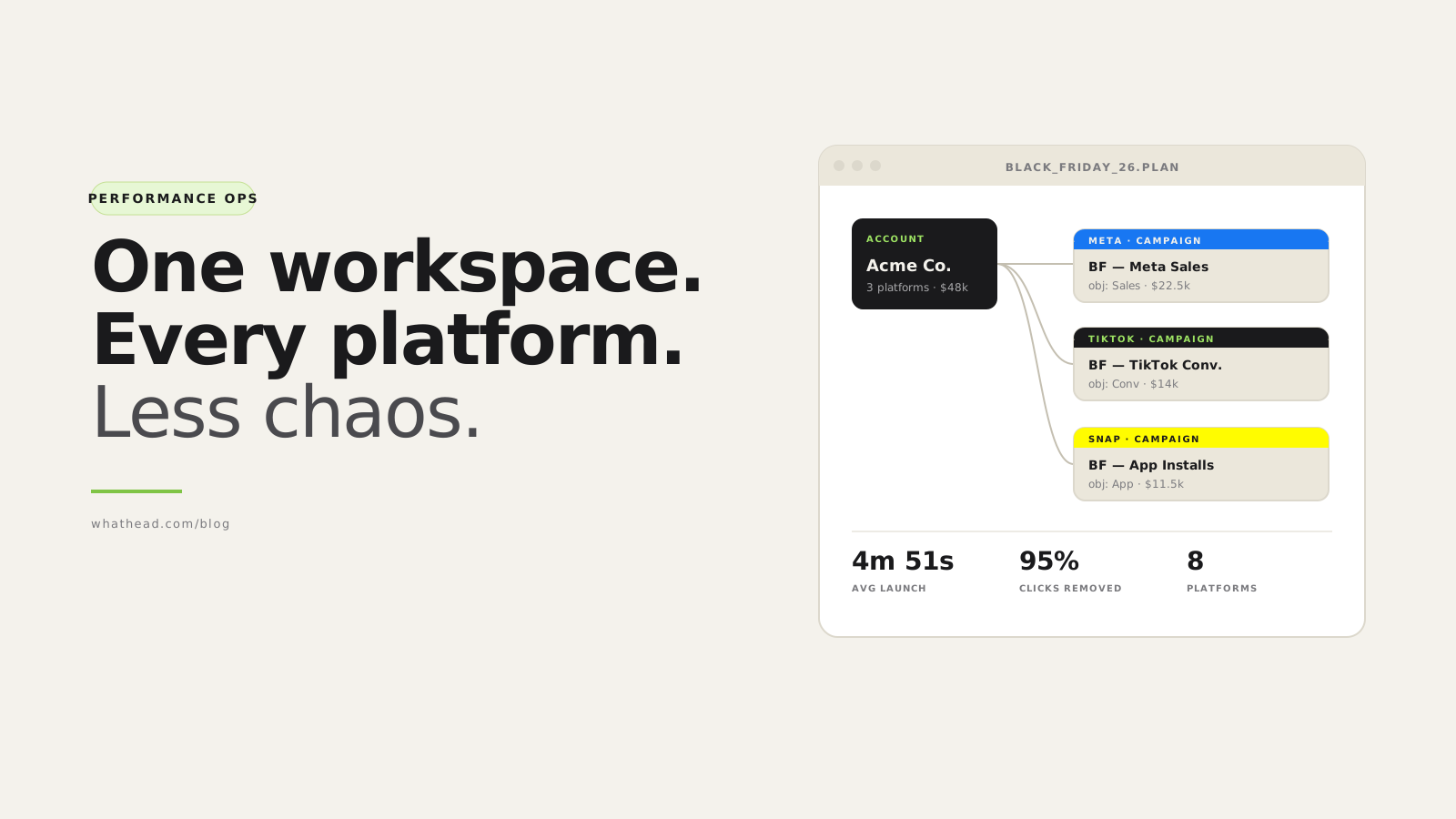
- Definition Performance ops workspace
- A performance ops workspace is the execution layer for paid media teams. It connects planning, campaign building, creative operations, bulk editing, QA, reporting, and AI assistance so campaigns can move from approval to live state with fewer manual handoffs.
Most paid media tools focus on strategy, reporting, or one platform. The daily pain for performance teams sits in the middle: turning approved plans into platform-ready campaigns, keeping assets organized, updating live structures, and checking that every field still makes sense.
That work is too important to live in scattered spreadsheets, screenshots, Slack approvals, and duplicated Ads Manager tabs.
Whathead gives the team one operational workspace where media plans, campaign trees, creative assets, bulk edits, tracking checks, reports, and AI agents can work around the same source of truth.
A scattered workflow vs an ops workspace
Scattered operations
Slow and hard to trust- Plan in sheets, build in platforms
- Assets in folders, QA in chat
- Updates made one tab at a time
Whathead workflow
One connected operating layer- Campaign structure is reviewable
- Creative and tracking are connected
- Bulk changes respect platform context
What this looks like in the workspace
- Media plan to structure
Map rows into campaigns, ad sets, and ads so launch work starts from the approved plan.
- Bulk edits that know context
Change many entities while preserving IDs, clearing invalid fields, and showing what will publish.
- AI that works inside guardrails
Use MCP agents for audits, drafts, and reports without bypassing permissions or review.
From messy request to controlled publish
- 01PlanImport or build campaign structure
- 02AttachConnect creative and tracking
- 03EditApply platform-aware bulk changes
- 04QAReview budgets, dates, events, and IDs
- 05LaunchPublish with logs and clear status
Whathead helps teams avoid
- Rebuilding the same campaign structure separately inside every platform
- Launching with outdated creative, wrong UTMs, or stale objective fields
- Making bulk changes that overwrite IDs, posts, or platform-specific settings
- Losing the operational history between plan approval and final publish
The strategy usually exists. The problem is getting it live, correct, trackable, and updated without burning the team on repetitive platform work.
See the Whathead workspace, explore the visual campaign builder, and compare plans when you are ready to turn the workflow into production.
The problem with modern paid media work
Paid media has become more fragmented, not less.
A single concept might need to ship across 7+ platforms. Each has its own objectives, budget rules, creative specs, naming quirks, targeting fields, and tracking setup.
The painful version vs. the workspace version
Without a workspace
~4 hours per launch- Copy rows from media plan into each Ads Manager
- Recreate names by hand in every UI
- Upload the same assets 5+ times
- Rebuild targeting and placements platform-by-platform
- Re-apply every budget change later in every account
With Whathead
~5 minutes- Import the media plan once
- Map columns, attach creative from the library
- Review the campaign tree visually
- Push to every platform in one click
- Update everywhere with bulk edits
What Whathead does
Whathead gives paid media teams one shared workspace for the full campaign operations cycle.
Plan to launch in 10 steps
- Plan campaign structureDecide platforms, markets, objectives, and budgets up front.
- Import media plansUpload the team spreadsheet. Map columns once.
- Upload creative assetsOne media library, every platform.
- Build campaigns visuallyDrag-and-drop canvas shows the full tree.
- Bulk edit campaign settingsChange 40 ad sets in one form.
- Launch across platformsOne click pushes to Meta, TikTok, Snap, and more.
- Fetch and update live campaignsEdit live campaigns without rebuilding context.
- Audit tracking and namingCatch mistakes before reporting day.
- Report on performancePull numbers without leaving the workspace.
- Use AI assistants safelyChat with Claude or ChatGPT — with audit + undo.
From media plan to campaign launch
Most campaign launches still begin in a spreadsheet — and they should. The painful part is the translation.
| Platform | Campaign | Budget | Creatives | Status |
|---|---|---|---|---|
 Meta Meta | BF — Sales | $22,500 | 14 | Waiting |
 TikTok TikTok | BF — Conversions | $14,000 | 9 | Waiting |
 Snap Snap | BF — App Installs | $11,500 | 6 | Review |
Drop the plan, columns map automatically, and every row becomes a reviewable campaign draft.
The spreadsheet stays the source of planning. The manual rebuilding step goes away.
A visual campaign builder for paid media teams
The builder shows the actual structure of the work — campaigns, ad sets, ads, and how they connect.
Practical questions it answers fast:
- Which campaigns are ready?
- Which ad sets are missing targeting?
- Which ads still need creative?
- Which items are new, live, duplicated, or being updated?
- What will publish now, and what should stay in draft?
Bulk editing without the usual risk
Changing one campaign is easy. Changing 40 ad sets across multiple platforms is where mistakes happen.
Whathead supports bulk edits for campaign, ad set, and ad-level fields — and keeps them platform-aware:
- Budgets, start/end dates, statuses
- Bid strategy, optimization goals
- Targeting, creative text, final URLs, CTAs
Bulk upload and one creative library
One campaign might include 9:16 videos, 1:1 squares, 4:5 verticals, carousels, thumbnails, dark posts, Spark Ads, and Reddit posts. Manage them centrally and attach when needed.
- Upload approved assets once
- Reuse assets across campaign builds
- Keep existing platform posts available as creative sources
Cross-platform campaign transfer
Copying a campaign from one platform to another sounds simple until you do it. Whathead's transfer remaps platform-specific fields — objectives, optimization, placements, CTAs, targeting, budget level, creative — and flags anything that needs human review.
Updating live campaigns, not just creating new ones
Budgets move. Dates change. Creative gets refreshed. Whathead supports both create and update workflows, so teams work with live campaign data instead of treating every launch as a blank slate.
Tracking Hub for naming, UTMs, and QA
Bad naming doesn't always hurt performance directly. But it breaks everything around performance.
MCP and AI ad operations
MCP lets AI assistants like Claude and ChatGPT connect to your ad operations through scoped, audited actions.
- Ask for a campaign summary without exporting CSVs
- Generate ad copy based on the campaign objective
- Pull performance reports straight into the workflow
- Audit campaigns for missing settings
- Prepare updates with a review step before publish
Read the deep dive: how MCP for Facebook Ads works in practice (https://blog.whathead.com/mcp-facebook-ads).
Reporting that connects back to action
If a report shows several ad sets need a status or budget change, you shouldn't need to rebuild the context manually in another tool.
Who Whathead is for
- Performance managers
Running several platforms, juggling weekly launches, ROAS reviews, and budget shifts.
- Agencies
Launching campaigns for multiple clients, with naming and tracking that must stay consistent.
- Media buyers
Frequent budget and creative updates across many ad accounts.
- Growth teams
Testing new channels quickly without building tooling for each one.
- Creative strategists
Cleaner handoffs to media teams, fewer "where's the final asset?" questions.
- Marketing-ops
Naming, tracking, and QA discipline across clients, brands, and platforms.
Why this matters
Paid media performance isn't only about bids, budgets, and creative strategy. It's also about execution quality.
Frequently asked questions
What is a paid media management platform?
A paid media management platform helps teams plan, build, launch, update, and report on advertising campaigns across channels.
Is Whathead an Ads Manager replacement?
No, and it's not trying to be. Whathead is built for the cross-platform operational work around Ads Manager.
Who should use Whathead?
Performance managers, media buyers, agencies, growth teams, and marketing-ops teams that manage multiple platforms, accounts, or frequent updates.
Can Whathead help with bulk campaign launches?
Yes. Teams upload or build campaign structures, attach assets, review platform-specific settings, and publish through controlled launch workflows.
Can Whathead help with existing live campaigns?
Yes. Whathead supports fetching, reviewing, updating, duplicating, and relaunching existing campaign structures.
How does AI fit into Whathead?
Whathead supports MCP-based AI workflows. AI can inspect campaigns, generate content, build reports, prepare updates, and support audits inside a controlled workspace.
How much does it cost?
$20/month flat, all 8 ad platforms included. 14-day free trial, no credit card.
Written by the Whathead team. We build the operational workspace for paid media teams across Meta, TikTok, Snapchat, Reddit, LinkedIn, Google, and X. Last reviewed May 16, 2026.