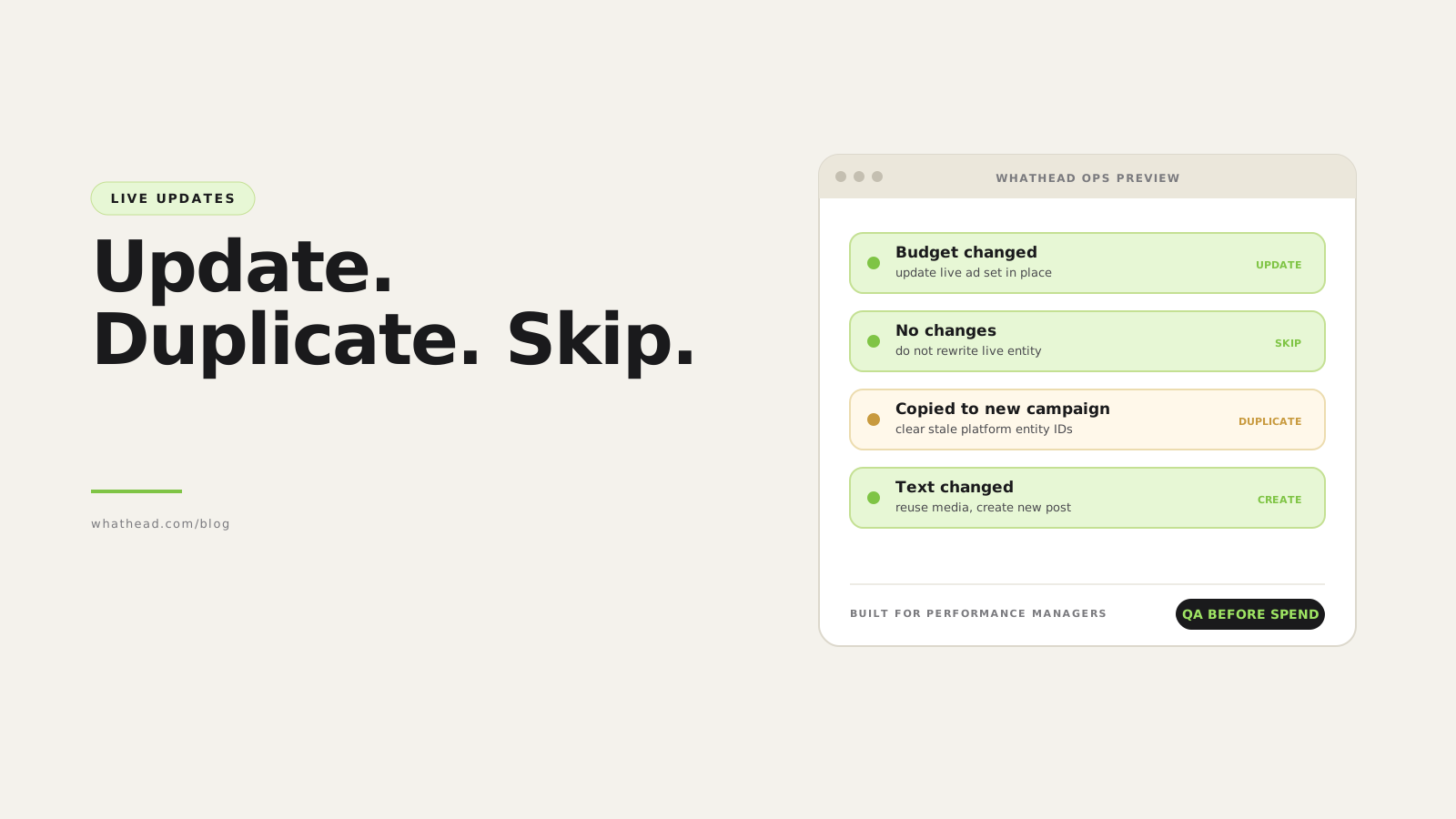
- Definition Live campaign update workflow
- A live campaign update workflow decides whether each entity should be updated, duplicated, skipped, or recreated based on field changes, platform rules, existing IDs, creative reuse, and reporting risk.
The hardest campaign work starts after launch.
A team fetches live campaigns, copies an ad set into another campaign, changes the objective, keeps the same post, changes only the text, or updates the dates. Some IDs should stay. Some fields should be removed. Some entities should not be touched at all.
Whathead handles this as a decision workflow. It can preserve reusable identifiers when nothing material changed, require a new entity when the platform needs one, and skip rows that should not publish again.
Blind publish vs decision-based publish
Blind publish
Risky- Writes every row again
- May lose reusable post IDs
- Carries stale objective fields
Whathead publish logic
Controlled- Updates only what should change
- Preserves valid IDs
- Clears fields that no longer belong
What this looks like in the workspace
- Update in place
Use when the platform allows the field change and history should stay intact.
- Duplicate safely
Reuse structure while cleaning fields that do not belong in the new context.
- Skip unchanged
Avoid unnecessary writes to live entities that already match the desired state.
From messy request to controlled publish
- 01FetchBring live platform state into the workspace
- 02CompareDetect changed and unchanged fields
- 03DecideUpdate, duplicate, skip, or recreate
- 04SanitizePreserve or clear IDs and dependent fields
- 05PublishWrite only the correct operations
Where this saves real pain
- Copied reach ad set attached to a traffic campaign with the wrong old goal
- X duplicate losing tweet_id or card_uri even though the post should be reused
- App or sales tracking fields following an entity into reach
- Unchanged ads being rewritten and losing review confidence
A copied campaign is not a blank draft. It carries IDs, history, and old assumptions. The workflow has to know which ones matter.
Whathead is designed for this decision point: update live entities, duplicate safely, skip unchanged work, or transfer structure to a new platform without rebuilding.
Why live campaign updates are hard
Live entities carry history. They may have platform IDs, approval state, learning, comments, social proof, existing post IDs, and reporting dependencies.
A copy of a live entity is not always editable in the same way as a fresh draft. Some fields should be preserved; others should be cleared when context changes.
- An ad set copied from reach into traffic keeps a stale optimization goal
- An existing post ID is removed when only the ad set changed
- A bid amount remains attached after bid strategy changes to automatic
- A campaign gets updated when the operator intended to duplicate it
- Unchanged items are republished, creating avoidable API risk
| Platform | Entity | Change | Decision | Status |
|---|---|---|---|---|
 Meta Meta | Ad set | Budget +20% | Update | Ready |
 X X | Ad | Text unchanged, same tweet | Reuse post | Ready |
 TikTok TikTok | Campaign | New market | Duplicate | Review |
 Snap Snap | Ad | No field changes | Skip | Ready |
Publish decisions should be visible before the API call is made.
How to classify every campaign entity
- SkipNo meaningful field changed. Preserve the live entity exactly as it is.
- UpdateA mutable field changed and the platform supports an in-place update.
- DuplicateThe strategy, context, or campaign parent changed enough to require a new entity.
- Create new creativeCopy, media, destination, or post content changed materially.
- BlockRequired dependencies are missing or invalid for the new objective.
Safe rules for update, duplicate, and skip
The workflow should protect historical IDs but should not keep stale dependencies.
- Preserve platform IDs on true updates
- Clear platform IDs on true duplicates
- Preserve existing post IDs when creative content is unchanged
- Create a new post when text or media changes
- Clear invalid fields when objective, destination, or product type changes
- Skip unchanged items to avoid unnecessary writes
When to update, duplicate, skip, or create
| Use when | Preserve IDs? | Example | |
|---|---|---|---|
| Skip | No changes | Yes | Fetched campaign left untouched |
| Update | Mutable settings changed | Yes | Budget, status, end date |
| Duplicate | New strategy or parent | No entity IDs | Copy ad set into another campaign |
| Create creative | Text/media changed | Preserve media if reusable | New X post from same video |
How to safely publish updates to live campaigns
A practical decision workflow for update, duplicate, skip, and create-new logic.
⏱ About 15 minutes
- 01
Fetch live state
Load campaigns, ad sets, ads, targeting, creative references, and existing platform IDs.
- 02
Compare against draft state
Generate a field-level diff for each entity.
- 03
Classify each entity
Mark each item as skip, update, duplicate, create creative, or blocked.
- 04
Sanitize stale fields
Remove fields that are invalid for the new platform, objective, destination, or bid strategy.
- 05
Publish the approved diff
Send only the fields required for the selected decision and record the result.
Existing post and creative reuse
Existing posts are valuable because they preserve continuity. But if the user changes the post text, the workflow should create a new post instead of mutating the old one.
- Reuse same post when content is unchanged
- Reuse same media when text changes
- Create a new post when text/media changes
- Keep original IDs visible in the diff
Reconnect across objectives
When an ad set is copied from one campaign objective to another, objective-specific fields need to be re-evaluated.
- Show options for the target objective
- Clear stale optimization goals
- Clear invalid pixel/app settings
- Preserve targeting only when supported
Live update checklist
Use this before publishing a fetched or duplicated structure.
- Unchanged entities are skipped
- Mutable updates preserve platform IDs
- Duplicates clear entity IDs
- Creative IDs and post IDs are preserved only when valid
- Objective-specific fields are revalidated
- Payload contains no fields forbidden by the platform
Frequently asked questions
Should duplicated campaigns keep platform IDs?
No. A true duplicate should create new platform entities. It may preserve reusable creative or media references when valid.
When should a live campaign be updated in place?
When only mutable settings change and preserving history is desirable, such as budget, status, or certain date changes.
Why skip unchanged items?
Skipping avoids unnecessary API calls, reduces platform errors, and protects live entities from accidental rewrites.
Should existing X tweet IDs be preserved?
Yes when content is unchanged. If text or media changes, create a new post while reusing media when appropriate.
Written by the Whathead team. We build the operational workspace for paid media teams across Meta, TikTok, Snapchat, Reddit, LinkedIn, Google, and X. Last reviewed May 16, 2026.