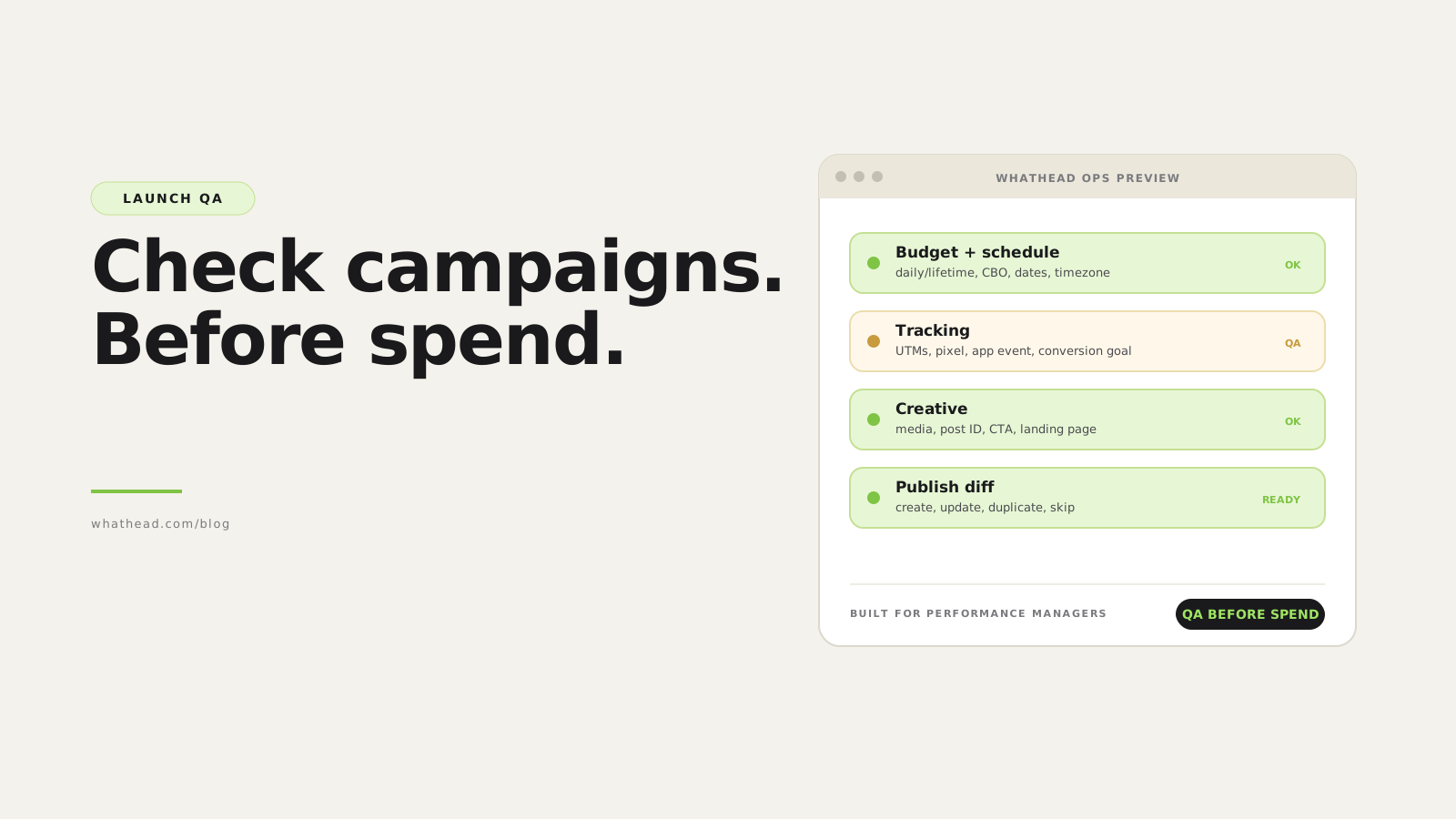
- Definition Paid media launch checklist
- A paid media launch checklist is a pre-flight QA workflow that confirms campaign setup, creative, tracking, budgets, dates, targeting, and platform settings match the approved plan before spend starts.
Launch day is when small operational mistakes get expensive. A past start date, wrong budget level, missing UTM, stale conversion event, or unapproved creative can sit unnoticed until spend has already started.
Most teams try to solve that with more manual checking. That helps, but only until the launch gets bigger or the team works across more platforms.
Whathead makes launch QA part of the campaign workspace. The plan, structure, creative, tracking, and publish payload are visible together, so the checklist checks the thing that will actually go live.
Checklist in a doc vs checklist in the workflow
Static checklist
Easy to skip- Lives outside the campaign build
- Depends on screenshots
- Does not know platform state
Whathead QA
Connected to launch- Checks actual campaign structure
- Surfaces missing or stale fields
- Keeps review close to publish
What this looks like in the workspace
- Plan-to-build review
Compare the approved plan with the campaign tree before launch.
- Tracking QA
Check URLs, UTMs, pixels, app events, and conversion goals.
- Publish review
Inspect what will be created, updated, skipped, or reused.
From messy request to controlled publish
- 01Plan QAConfirm strategy, naming, budgets, and dates
- 02Build QAReview campaign tree and creative
- 03Tracking QACheck links and measurement
- 04Publish QAReview final payload
- 05Post-launchConfirm delivery and reporting
Launch mistakes this protects against
- Wrong budget level or amount
- Old dates carried from a copied campaign
- Missing final URL, UTM, pixel, or app event
- Creative asset attached to the wrong audience, market, or placement
Launch QA should catch quiet mistakes before they become expensive screenshots in tomorrow morning's report.
Run this checklist faster in Whathead by importing the plan, reviewing the campaign tree, and pushing only after every issue is resolved.
Why paid media launches fail
Launches fail when the team treats setup as data entry. Paid media setup is translation: from a plan into platform-specific entities with different rules.
A launch checklist works because it slows down the exact moments where mistakes compound, while leaving the rest of the workflow fast.
- The plan is approved but the platform build is not checked against it
- Campaign, ad set, and ad names are reviewed separately from tracking names
- Creative QA happens after publish instead of before
- Optimization fields survive from old copied campaigns
- The team checks what is visible in the UI, not what will be sent in the payload
| Platform | Campaign | Budget | Tracking | Creative | Status |
|---|---|---|---|---|---|
 Meta Meta | Summer Prospecting | $400/day | UTM OK | 4 ads ready | Ready |
 TikTok TikTok | Summer Prospecting | $350/day | Pixel missing | 2 ads ready | Review |
 X X | Summer Reach | $180/day | UTM OK | Post linked | Ready |
 LinkedIn LinkedIn | B2B Retargeting | $220/day | Insight tag OK | 1 ad missing | Waiting |
A launch grid should show readiness by platform and by dependency, not just a green publish button.
The 7-stage paid media launch QA system
- Plan QAConfirm the media plan has platform, objective, budget, dates, market, creative, URLs, and tracking fields.
- Structure QACheck that campaign, ad set, and ad grouping match the plan.
- Budget QAConfirm daily vs lifetime budgets, campaign vs ad set budget, currency, and pacing assumptions.
- Tracking QAValidate final URL, UTM fields, pixels, app events, and conversion goals.
- Creative QACheck asset format, aspect ratio, copy, CTA, landing page, and post reuse logic.
- Payload QAPreview the exact fields that will be created or updated.
- Post-launch QACheck delivery status, approvals, tracking events, and spend within the first hour.
What to check before campaigns go live
The best launch checklists are grouped by risk. They do not ask the operator to read every field with equal attention. They make the expensive mistakes impossible to miss.
- Budget level and value
- Start date, end date, timezone, and locked live dates
- Objective, optimization goal, bid strategy, and billing event
- Audience, exclusions, placements, and expansion settings
- Creative media, copy, CTA, destination, and existing post IDs
- URL, UTM naming, pixel, app event, and conversion event
- Entity status, approval state, and publish mode
Launch checklist by risk type
| What to check | Why it matters | Best owner | |
|---|---|---|---|
| Budget | Daily/lifetime, CBO/ad set level, currency | Prevents immediate overspend or underdelivery | Performance manager |
| Tracking | UTM, pixel, event, app ID, conversion goal | Protects reporting and optimization | Ops + analytics |
| Creative | Asset, copy, CTA, post reuse, landing page | Protects approvals and message quality | Creative + media buyer |
| Publish payload | Create/update/duplicate/skip decisions | Prevents accidental live changes | Campaign owner |
How to QA a paid media launch before spend starts
A repeatable launch QA process for campaigns, ad sets, ads, creative, and tracking.
⏱ About 18 minutes
- 01
Freeze the approved plan
Confirm the plan has final budgets, dates, markets, objectives, creative names, final URLs, and tracking fields.
- 02
Build the campaign tree
Import or create campaigns, ad sets, and ads as drafts before publishing anything.
- 03
Validate dependencies
Check budgets, dates, optimization goals, tracking events, media files, and platform-specific required fields.
- 04
Preview the publish diff
Review what will be created, updated, duplicated, skipped, or left untouched.
- 05
Publish and monitor
Launch only after QA, then check approvals, tracking, delivery, and spend shortly after publish.
Budget and schedule QA
Budget and date errors are the fastest way to damage a launch. Check them together because pacing depends on both.
- Daily budget vs lifetime budget
- Campaign budget vs ad set budget
- Currency
- Flight length
- Start date in the past
- End date missing or too soon
Creative and post reuse QA
Creative QA is not only visual. It includes whether the workflow is creating a new ad, reusing an existing post, or creating a new post because text changed.
- Media selected from library
- Aspect ratio fits placement
- CTA matches destination
- Existing post ID preserved when text did not change
- New post created when text changed
Copy-paste paid media launch checklist
Use this as the final review before publish.
- Campaign objective matches the media plan
- Budget level and amount are correct
- Dates and timezones are correct
- Targeting and exclusions are present
- Creative assets, copy, CTA, and URLs are attached
- Tracking fields are complete
- All live updates are intentional
- All duplicates are creating new entities where expected
Frequently asked questions
What is a paid media launch checklist?
It is a repeatable QA process used before campaigns go live to verify setup, tracking, creative, budgets, dates, and platform-specific settings.
When should launch QA happen?
QA should happen before publish while campaigns are still drafts, then again after launch to confirm approvals, tracking, delivery, and spend.
Who should own paid media launch QA?
The performance manager usually owns the checklist, with creative, analytics, and client stakeholders reviewing their dependencies.
Can launch QA be automated?
Parts of it can. Field validation, missing assets, broken URLs, stale dates, and invalid platform combinations should be automated, while strategy and approval decisions stay human.
Written by the Whathead team. We build the operational workspace for paid media teams across Meta, TikTok, Snapchat, Reddit, LinkedIn, Google, and X. Last reviewed May 16, 2026.