- Definition Paid media tracking QA
- Paid media tracking QA is the process of verifying that campaign URLs, UTMs, pixels, app events, conversion goals, and reporting fields are correct before and after launch.
Tracking problems are painful because they often look like performance problems first.
Spend is live. The platform reports clicks. Analytics disagrees. The client asks what happened. The team starts checking UTMs, events, landing pages, pixels, and naming after the damage is already done.
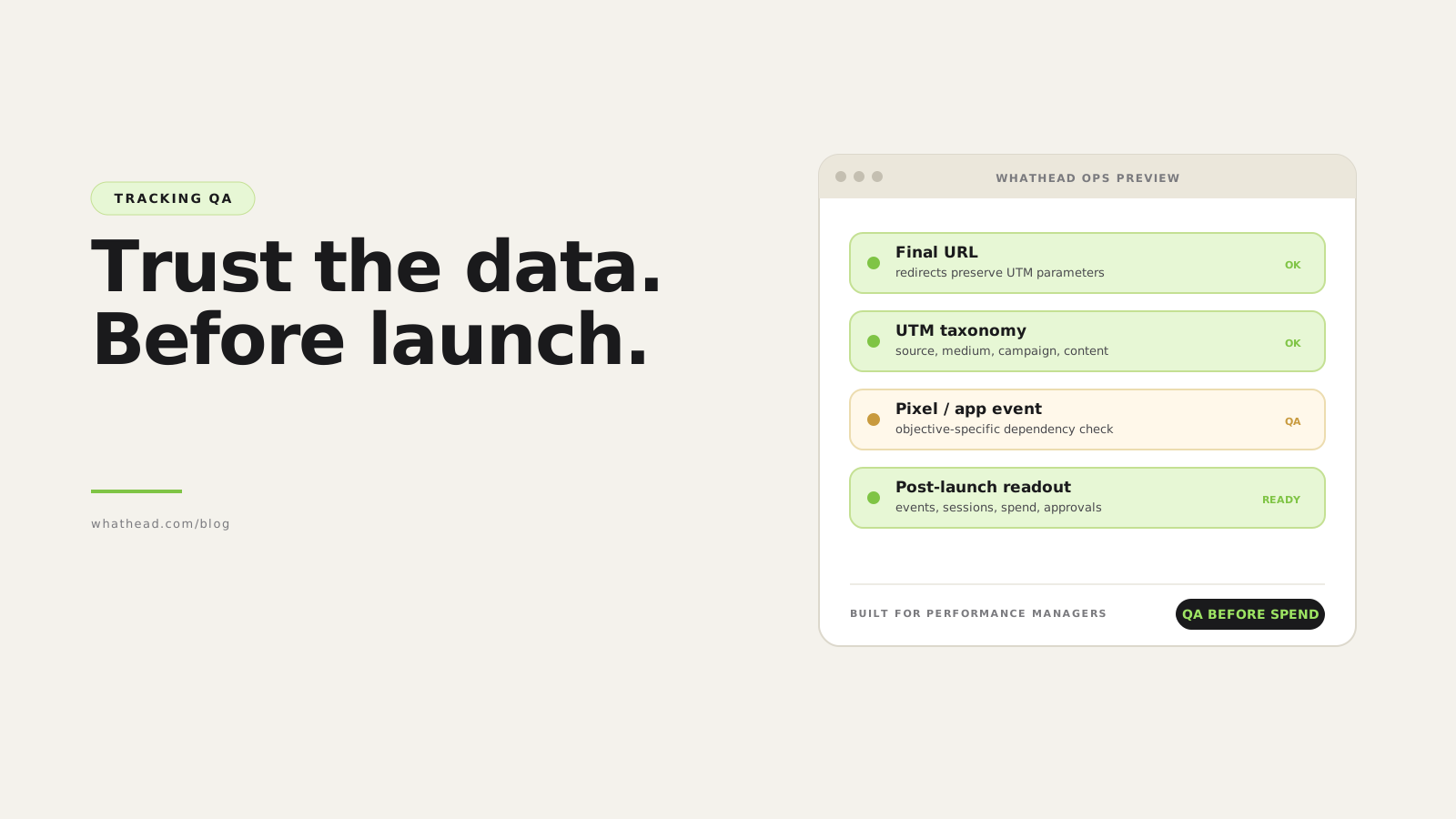
Whathead moves tracking QA earlier. The campaign structure, destination URLs, conversion settings, app or pixel fields, and reporting names can be checked before publish and cleaned when context changes.
After-the-fact debugging vs pre-launch tracking QA
Debug after spend
Expensive- Find gaps in reports
- Chase platform vs analytics mismatch
- Manually inspect every URL and event
Whathead QA
Before launch- Check tracking fields inside campaign structure
- Validate objective-specific events
- Fix stale fields before publish
What this looks like in the workspace
- Destination checks
Review final URLs, UTM rules, landing pages, and campaign naming alignment.
- Event validation
Confirm pixel, app, primary event, and conversion goal match the campaign objective.
- Context cleanup
Remove tracking fields that no longer belong after copy, duplicate, or reconnect.
From messy request to controlled publish
- 01StructureCheck campaign and ad set objective
- 02DestinationValidate final URL and UTM
- 03EventConfirm pixel, app, or conversion goal
- 04ReportMatch naming and analytics dimensions
- 05PublishLaunch only after QA
Tracking issues this catches
- Missing or malformed UTM parameters
- Pixel or app event attached to the wrong objective
- Old conversion event kept after a copied campaign changes objective
- Campaign name and UTM campaign no longer matching
A campaign can be beautifully built and still be useless if the measurement is wrong.
Use Whathead before launch to catch tracking and campaign setup issues while the plan, ads, links, and platform mapping are still easy to fix.
Where paid media tracking breaks
Tracking breaks because it lives across systems. The media plan has a URL. The ad platform has a final URL and conversion event. The website has tags. Analytics has UTM grouping. Reporting has naming rules.
- UTM source does not match platform taxonomy
- Campaign name changes but UTM campaign does not
- Pixel exists but selected event is wrong
- App campaign keeps a web conversion event
- Landing page redirects strip parameters
- Copied campaigns carry stale tracking fields
| Platform | Final URL | UTM | Event | Status |
|---|---|---|---|---|
 Meta Meta | Landing OK | utm_campaign OK | Purchase | Ready |
 TikTok TikTok | Landing OK | utm_content missing | CompletePayment | Review |
 X X | Redirect OK | utm_source OK | Website tag | Ready |
 Google Google | Final URL OK | auto-tagging | GA4 key event | Ready |
Tracking QA should show exactly which dependency is missing, not just a generic error.
The tracking QA stack
- DestinationFinal URL opens, uses HTTPS, and resolves without stripping parameters.
- UTM taxonomySource, medium, campaign, content, and term values match reporting rules.
- Tag presencePixel, tag, app SDK, or conversion API is present where required.
- Event selectionOptimization event matches objective and funnel stage.
- ReportingAnalytics and platform data can be reconciled after launch.
Tracking QA before publish
The pre-publish check should validate fields that can be inspected without live traffic. It cannot prove conversions will fire, but it can catch most setup errors.
- Final URL required for traffic, lead, and conversion campaigns
- UTM fields generated from approved naming tokens
- Pixel or app event required only when objective needs it
- Stale app or pixel fields cleared when objective changes
- Destination type matches CTA and creative format
Which field depends on which campaign choice
| Depends on | Required fields | Common cleanup | |
|---|---|---|---|
| Traffic | Final URL, CTA, UTMs | Clear conversion-only event fields | |
| Sales / conversions | Pixel/app, event, URL, UTMs | Reject missing or stale event IDs | |
| App | App ID, country, app event | Clear web-only pixel fields | |
| Reach | Budget, schedule, creative, optionally URL | Clear pixel/app optimization dependencies |
How to QA paid media tracking before launch
A practical QA workflow for URLs, UTMs, pixels, app events, conversion events, and reporting.
⏱ About 16 minutes
- 01
Validate every URL
Open final URLs and confirm redirects preserve query parameters.
- 02
Generate UTMs from taxonomy
Use controlled source, medium, campaign, content, and term values instead of free text.
- 03
Match event to objective
Confirm conversion or app events are required for the objective and are not stale from a copied campaign.
- 04
Publish with a post-launch check
After launch, confirm platform events, analytics sessions, and spend are flowing.
UTMs should be generated, not typed
Manual UTM typing is fragile. Generate UTM fields from campaign metadata, then show the final URL before publish.
- Use lowercase source/medium
- Avoid spaces
- Keep campaign taxonomy stable
- Use creative or ad ID in utm_content when needed
Clear stale tracking on objective changes
When an ad set moves from sales to reach, app or pixel settings may no longer be valid. The safe workflow clears invalid dependencies automatically.
- Clear app fields when moving to web-only objectives
- Clear pixel conversion fields for reach or awareness
- Require event selection when objective needs it
Tracking QA checklist
Run this before publishing campaign changes.
- Final URL opens and keeps UTMs
- UTM source and medium match platform taxonomy
- Campaign UTM maps to reporting name
- Pixel, tag, app, or event is required and present
- Invalid objective-specific tracking fields are cleared
- Post-launch analytics check is scheduled
Frequently asked questions
What is tracking QA in paid media?
It is the process of verifying URLs, UTMs, pixels, app events, conversion events, and reporting dimensions before and after launch.
Should UTMs be typed manually?
No. They should be generated from a controlled taxonomy whenever possible, then previewed before publish.
What happens when the objective changes?
Fields that do not apply to the new objective, such as stale pixel or app events, should be cleared or revalidated.
When should tracking be checked after launch?
Check shortly after first delivery to confirm platform events, analytics sessions, and spend are flowing as expected.
Written by the Whathead team. We build the operational workspace for paid media teams across Meta, TikTok, Snapchat, Reddit, LinkedIn, Google, and X. Last reviewed May 16, 2026.