- Definition MCP for Facebook Ads
- MCP for Facebook Ads connects AI assistants to structured Meta Ads tools. Instead of guessing from screenshots, the assistant can inspect campaigns, draft safe changes, and execute approved actions through Whathead.
If you manage Meta Ads every day, the work is not just strategy. It is opening campaigns, checking settings, comparing performance, finding the right rows, making the same update in five places, and hoping nothing silent changed while you were doing it.
That is exactly where an AI assistant becomes useful, but only if it is connected to the account in a controlled way. Generic chat cannot see your campaign tree. Screenshots are stale. Browser automation is fragile. Direct API scripts are risky.
Whathead turns MCP into a practical operating layer for paid media teams: the assistant can read live account structure, prepare edits, explain what will change, and execute only through validated tools.
Generic AI vs Whathead MCP
Generic AI
Advice only- Works from pasted context
- Cannot validate live platform state
- No permissions, logs, or rollback
Whathead MCP
Operational assistant- Reads the real campaign tree
- Creates structured, valid changes
- Keeps review, audit trail, and undo
What this looks like in the workspace
- Account audits in plain English
Ask which ad sets are spending without conversions, which campaigns have broken tracking, or which ads changed status.
- Safe bulk edits
Prepare pauses, budget shifts, date changes, and creative updates with a review step before anything writes.
- Launch support
Turn a brief or media plan into draft campaign structure and check it before publishing.
From messy request to controlled publish
- 01AskDescribe the outcome, not the clicks
- 02InspectWhathead reads live Meta state
- 03DraftThe assistant proposes structured changes
- 04ApproveYou confirm the action
- 05UndoRollback remains available when supported
What the operator gets
- Less time filtering Ads Manager for routine checks
- Fewer risky copy-paste edits across campaigns
- A single chat trail for what was requested and what changed
- AI help without giving AI uncontrolled ownership of spend
The point is not "AI can touch my ad account." The point is "AI can do the repetitive work while I keep the decision."
Connect an MCP-compatible assistant to Whathead MCP, then let it inspect account structure, prepare safe changes, and wait for approval before writing anything.
What is MCP for Facebook Ads, really?
If you've used Ads Manager, you already know the pattern: filter, sort, multi-select, bulk action, confirm. Every click is a step in a recipe.
Behind that UI, Meta's Marketing API has more than 600 endpoints. The real question was never "can an AI hit those endpoints?" — it's "can an AI hit them safely, reliably, and at the right level for a marketer to trust?"
Until late 2024, there were three answers — and all three had problems.
- 1. Browser robots — click through Ads Manager like a human. Slow, brittle, blocked by 2FA.
- 2. Custom AI scripts — Engineers wiring AI directly into the Meta API. Every team rebuilds rate-limiting, retries, undo, and audit trails — usually incorrectly the first few times.
- 3. Webhook tools (Zapier, Make) — one-shot triggers. No conversation, no context, no undo.
Whathead has been running this in production across eight ad platforms since early 2025. Meta is the most mature surface — over 50 distinct operations, deeply tested, used daily.
What you can actually do (50+ Meta operations, no jargon)
Instead of listing every operation, here's what they let you do — in the order you'd actually do them.
Read your account
- List all your Meta ad accounts and confirm which one you're working in
- Pull every campaign with its status, objective, and budget
- Open any campaign and see its ad sets and ads inline
- Look at the actual creative — the image, the headline, the CTA — without leaving chat
- Get performance numbers (spend, clicks, conversions, CPA, ROAS) over any date range
- See which ads are tied to which pixel events and which audiences
Plan and launch
- Stage a brand-new campaign from a one-paragraph brief or an Excel paste
- Spin up multiple ad sets at once with different audiences or placements
- Generate fresh creatives — headlines, descriptions, primary text — that match your brand voice
- Upload a video or image once and reuse it across as many ad sets as you want
- Use an existing Facebook Page post as a dark-post creative
- Create lead-gen forms and wire them straight into a campaign
Run and optimize
- Bulk-pause or bulk-activate any selection of campaigns, ad sets, or ads in one sentence
- Push budget changes across many items at once
- Get an audit of what's broken — bad pixel events, paused campaigns still spending, missing tracking
- Preview any ad in any placement (Feed, Reel, Story, Marketplace) before saving
- Spot ad sets where tracking events stopped firing in the last week
Audiences and reach
- Estimate the size of any audience before you commit to it
- Pull every custom audience and lookalike you've built
- Search Meta's ad library to see what competitors are running
- Reuse audiences across campaigns without re-keying anything
How to set it up in 10 minutes
Whether you use Claude or ChatGPT, the steps are the same. You'll need a Whathead account, a Meta ad account connected to it, and your AI assistant of choice.
The 10-minute setup at a glance
- 01Connect Meta~3 min
- 02Create key~30 sec
- 03Paste in AI~2 min
- 04Verify~10 sec
- 05First command~5 min
Five steps to your first chat command
- Connect your Meta ad account to WhatheadSign in at whathead.com, open Integrations, click Meta, and complete the Facebook login. Most teams finish in under three minutes.
- Create a chat key for your AI assistantInside Whathead, open Connectors → MCP and click Create. Give it a friendly name like "Claude" or "ChatGPT." Copy the key. It's scoped to this workspace only.
- Paste the key into your AI assistantIn Claude.ai or ChatGPT, open Settings → Connectors → Add custom connector. Cursor and n8n use the same setup. No code required.
- Test the connection with a read-only questionType: "List my connected Meta ad accounts." Your assistant should respond in about two seconds.
- Try a real command (with the safety net on)Ask: "Show me my five most recent Meta campaigns." Ready for a change? "Pause every ad set in Campaign X — show me what would happen first." Say "confirm" to execute.
Which AI assistant should you use?
Easiest start. Open Settings → Connectors → Add custom connector → paste the Whathead OAuth URL. One click, no config files. Available on every Claude.ai plan that supports MCP connectors.
For local control. Edit ~/Library/Application Support/Claude/claude_desktop_config.json and add a "whathead" entry under mcpServers with your Bearer token. Restart Claude.
Same flow as Claude.ai. Settings → Connectors → Add custom MCP connector → paste the OAuth URL. Available since early 2026.
Both speak MCP natively. Point them at the Whathead endpoint with a Bearer header. Useful when you want to script the AI into a workflow rather than a chat.
6 chat commands that replace 6 hours of clicking
These aren't theoretical. Every command below is something marketers run inside Whathead today.
End-of-day cleanup
Old way
~10 min- Open Ads Manager, filter by CPA
- Sort, multi-select offending ad sets
- Bulk-pause + confirm
- Manually check each one paused
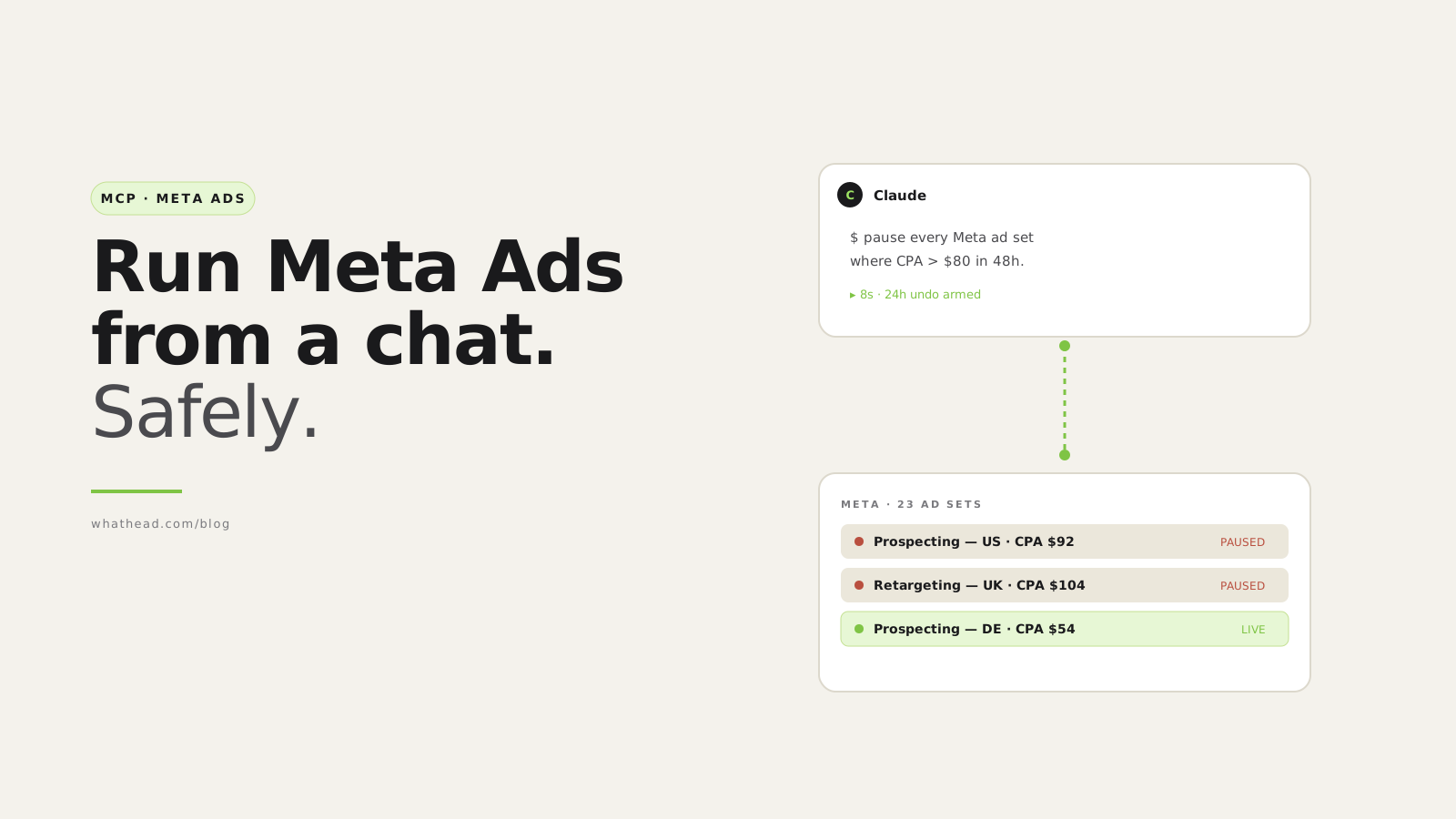
"Pause every Meta ad set where CPA went above $80 in the last 48 hours."
~8 sec- AI reads insights, filters live ad sets
- Pauses the matching set, returns confirmation
- Undo armed for 24 hours
2. The winning-creative copy
You say: "Duplicate my best-performing creative from Campaign A into Campaign B. Update the headline to mention free shipping."
Replaces: Finding the top creative, copying it, pasting it, rewriting the headline, saving.
Time saved: ~9 min → 30 sec.
3. The "did my tracking break?" check
You say: "List every ad set where my conversion events stopped firing in the last 7 days."
Replaces: Events Manager hunt, CSV export, pivot table, cross-reference with names.
Time saved: ~25 min → 6 sec.
4. The bulk creative refresh
You say: "Upload this video and use it across all three prospecting ad sets in the Mediterranean campaign."
Time saved: ~18 min → 12 sec.
5. The media-plan-to-campaign build
You say: "Build a campaign tree from this media plan." (paste the Excel snippet)
Time saved: ~90 min → 5 min (our median measured launch time).
6. The Monday-morning report
You say: "Show me what 'Brand Q2 Prospecting' is delivering this week, by ad set, with creative thumbnails."
Time saved: ~20 min → 11 sec.
Roughly 25× faster, with the safety net still armed. Every change is reversible in chat for 24 hours.
What happens when the AI gets it wrong?
We treat that as an engineering problem, not a marketing line. Three layers keep you safe.
- Keys are scoped to one workspaceThe chat key can only see and change one workspace's ad accounts. Even if it leaks, nothing else is exposed. Your Meta credentials never leave Whathead.
- Every change is loggedRead or write — every action is recorded with the user, the change, before/after snapshots, and a timestamp. Sensitive data is automatically stripped.
- 24-hour undo on everything"Roll back the last 10 things you did" is a valid sentence — and it works. Beyond 24 hours the record is archived but still auditable.
What MCP for Facebook Ads can and can't do (yet)
- Read every campaign, ad set, ad, and creative
- Bulk-pause / activate any selection in one sentence
- Generate ad copy and stage new creatives
- Audit pixel + CAPI health, missing tracking
- Preview ads in placement-accurate mockups
- Multi-platform (TikTok, Snap, Reddit, LinkedIn, Google, X)
- Massive video uploads happen in the web app first
- A few Advantage+ Shopping fields not yet exposed
- CSV customer-list uploads need human confirmation
- Live push notifications still on the roadmap
How it compares to the alternatives
| Meta API coverage | Rate limits | Multi-platform | Undo | Audit log | Cost | |
|---|---|---|---|---|---|---|
| Roll your own | You build | You build | You build | You build | You build | Engineer time |
| Zapier / Make | Limited triggers | Per-zap quota | Per-zap | No | No | $20–$300/mo |
| Browser robots | UI-level only | Slow | One per platform | No | No | Brittle |
| Whathead MCP | 50+ operations | Built-in throttler | 8 platforms | 24h armed | 90 days | $20/mo flat |
Frequently asked questions
Can I use this with my regular Claude.ai subscription?
Yes. Claude.ai supports custom MCP connectors. You install Whathead through a one-click OAuth and your prompts can manage Meta Ads right away.
Does it work with ChatGPT?
Yes. ChatGPT Pro added MCP custom-connector support in early 2026. Same OAuth flow as Claude.
Will it eat up my Meta API quota?
It uses the same quota Ads Manager uses for the same actions. Whathead stays well under Meta's rate limits and backs off automatically.
What if the AI does something I didn't want?
Every change is reversible for 24 hours. Just type "undo the last action" and it reverses. Bigger changes — like doubling a budget — require explicit confirmation in chat.
Is my Meta access shared with OpenAI or Anthropic?
No. Your Meta credentials never leave Whathead. The AI sees only the outcome of what you ask.
How is this different from Meta's built-in AI (Advantage+, etc.)?
Meta's AI optimizes inside a single campaign. MCP gives you an AI assistant that can read, plan, and edit across your entire account — and other platforms.
Does it work for multi-platform campaigns?
Yes. The same setup covers TikTok, Snapchat, Reddit, LinkedIn, Google, and X.
How much does it cost?
$20/month flat, all 8 ad platforms included. 14-day free trial, no credit card required.
Where to go from here
For the broader story, read about the performance ops workspace. For media-plan launches, see the spreadsheet-to-campaigns guide. For cross-platform reuse, see the transfer guide. For safe edits at scale, see the bulk editing safety guide.
Written by the Whathead team. We build the operational workspace for paid media teams across Meta, TikTok, Snapchat, Reddit, LinkedIn, Google, and X. Last reviewed May 16, 2026.